
Send the detail
Share messages, photos, documents and voice notes in the conversation, with content encryption in the supported messaging mode.
MirsalGo for Android
Follow the conversation, share a file from the field or call a teammate. Stay connected to the people behind the next task.
For Android phones and tablets. Access is provided by your organisation.
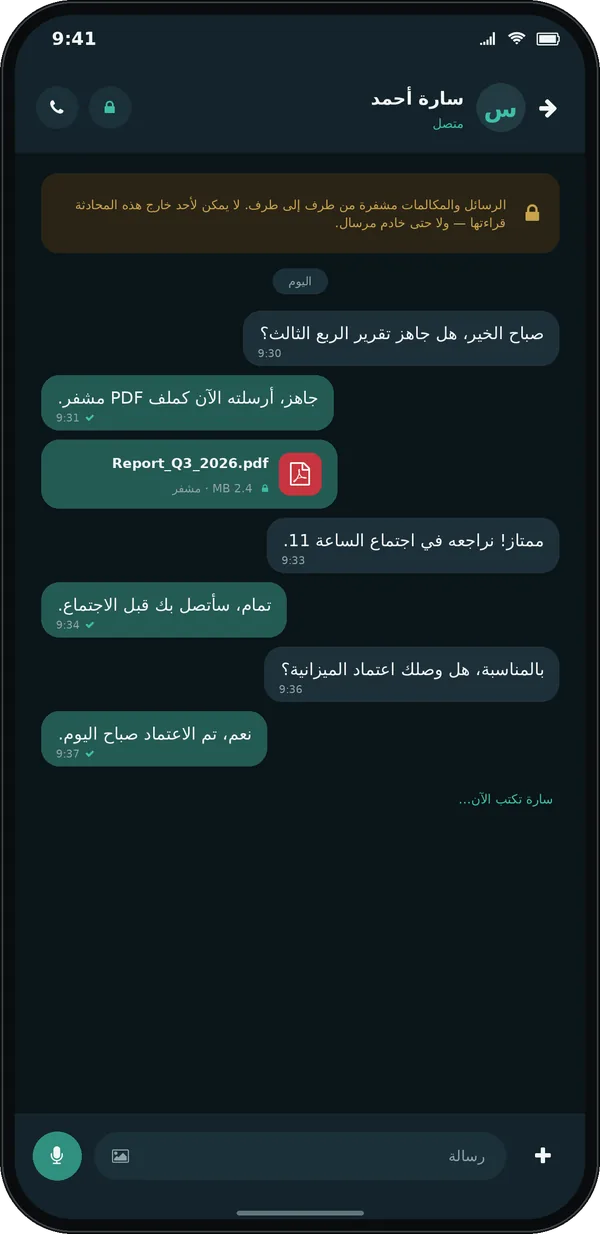
Make room for the update, the detail and the conversation that follows.
Share messages, photos, documents and voice notes in the conversation, with content encryption in the supported messaging mode.
Follow team discussions and updates in the groups your organisation uses to coordinate work.
Reach a teammate by voice when the situation needs a conversation. Call controls stay on the screen.
A closer look at the mobile screens your team works with.
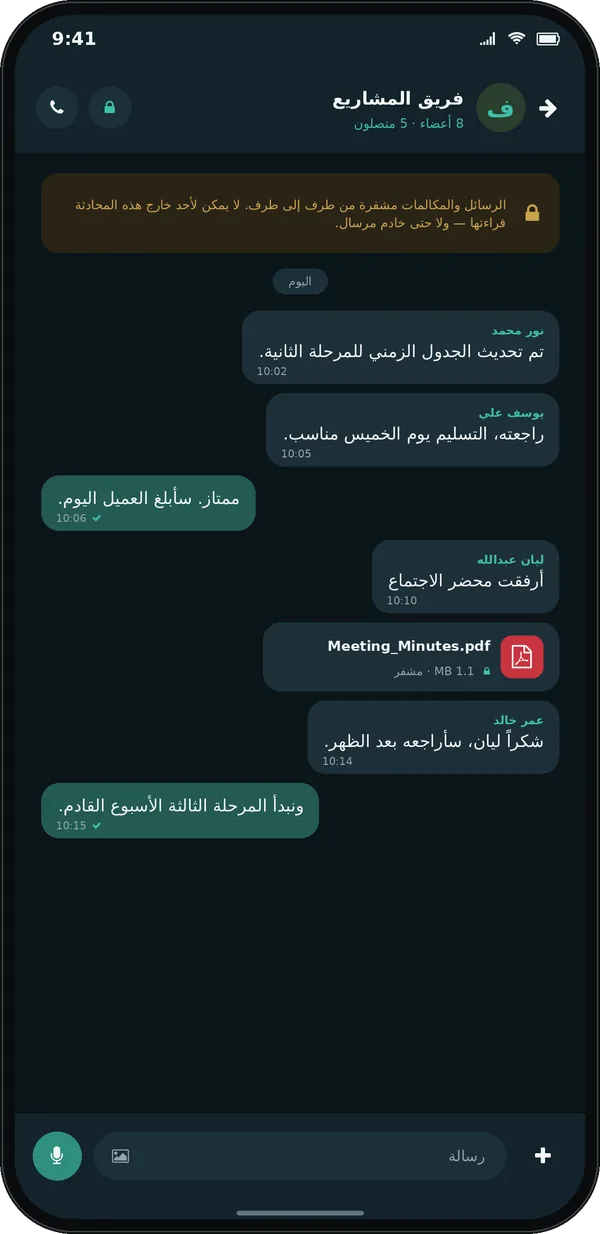
Keep a shared discussion together, with updates and attachments in their original context.
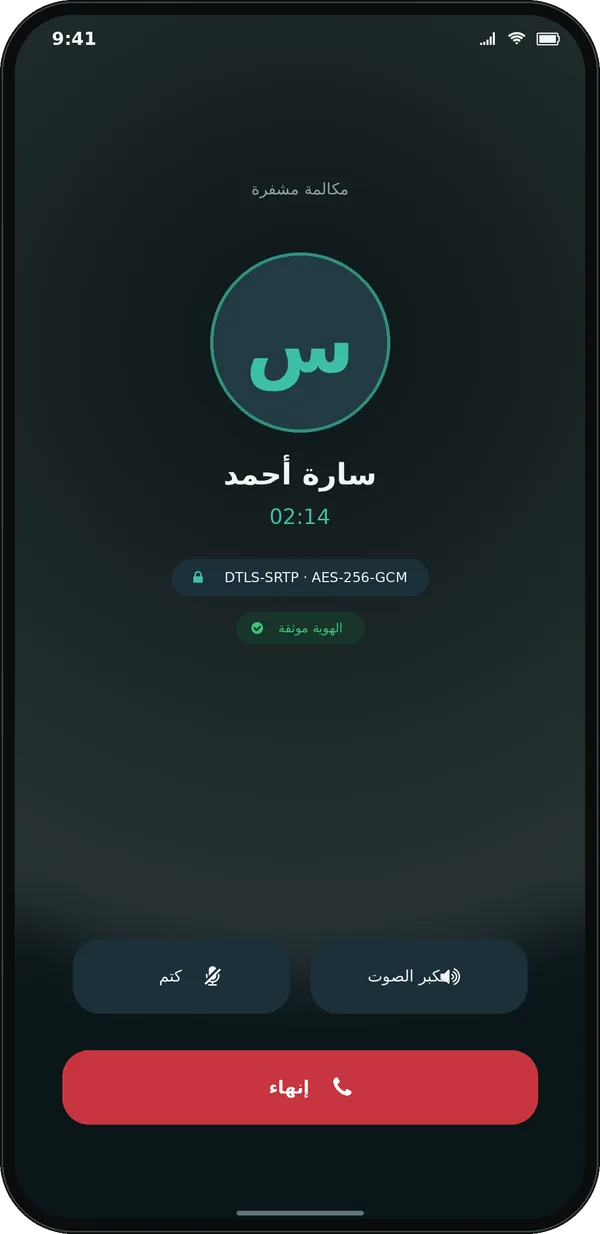
A dedicated call screen keeps the conversation and its controls within reach.
Screenshots are product illustrations with demonstration data, shown in Arabic. Some builds display the earlier Mirsal name. Select a gallery image to view it at full size.
Private content. Clear boundaries.
Connect using the server and account supplied by your organisation. Your administrator manages access and registered devices, while supported encrypted conversations keep content keys on the devices.
A new device does not automatically receive the keys for a previous device's messages. Contact support before clearing storage or changing devices.
See what the server can seeYour administrator provides the approved Android build, server address and account. Contact the team for installation guidance and your organisation’s supported devices.
Ask about app accessRequest a walkthrough of conversations, files and your organisation’s setup.