
People and permissions
Create and disable accounts, reset passwords and manage separate messaging and calling permissions.
MirsalGo Studio
A dedicated administration workspace for the people, permissions and devices behind your organisation's communication service.
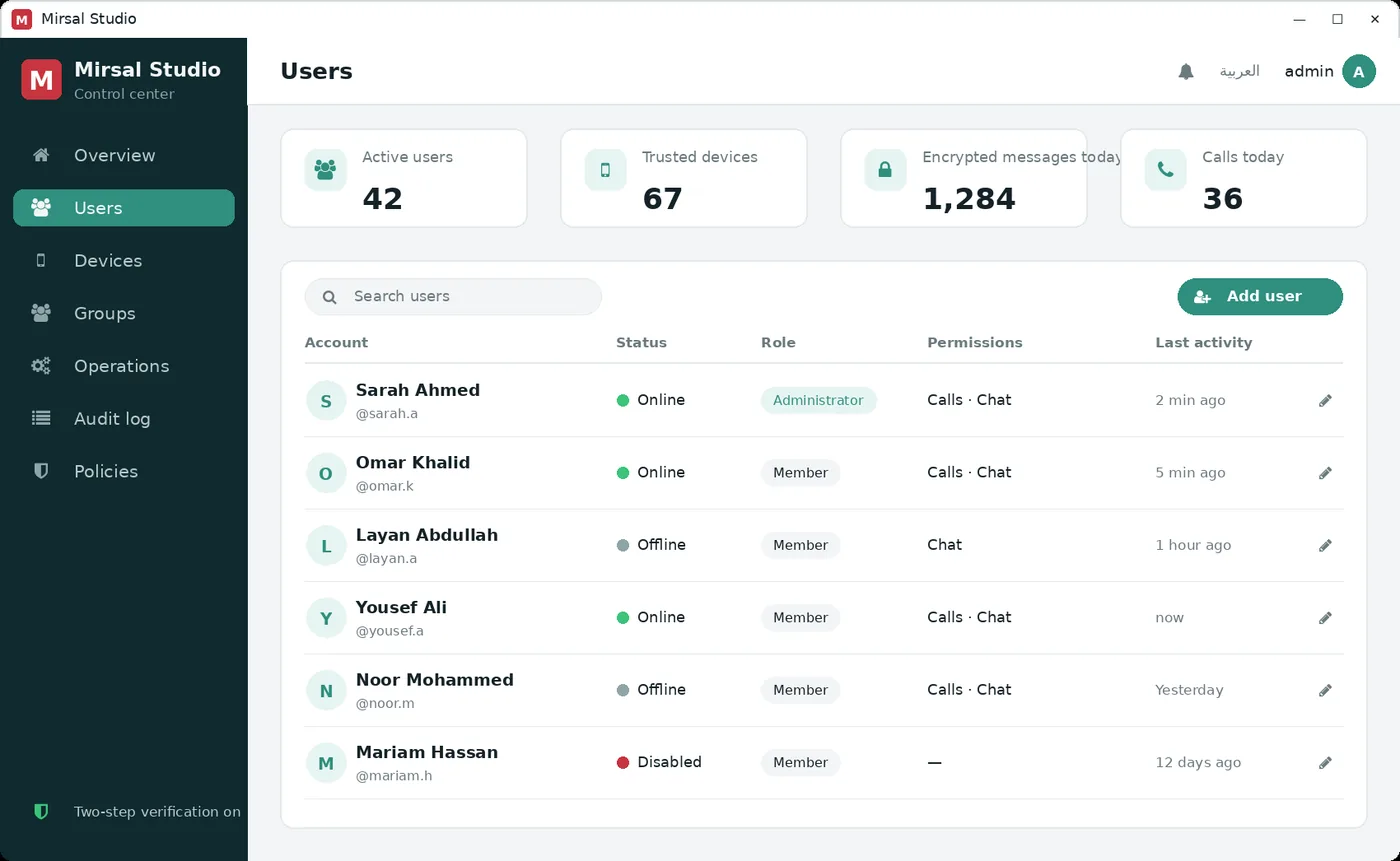
Give the right people access, manage their devices and keep a record of administrative activity.
Create and disable accounts, reset passwords and manage separate messaging and calling permissions.
Review registered devices and sessions. Revoke access when a device is lost or a member leaves the team.
Choose the supported server retention setting and review administrative actions and sign-in activity.
Administration has a boundary
Studio manages accounts and service settings. It does not hold the keys needed to open supported end-to-end encrypted message and attachment contents.
The service still sees account information, registered devices, group membership, timing and data sizes. Administrative notices and support requests have different privacy boundaries.
Explore the privacy explanationDiscuss your policies and workflow with the team during a demonstration.
Create an account, set the permissions appropriate to the role and provide the approved app and server address.
Review the account's device records and revoke the relevant access. Endpoint security and your organisation's incident process still matter.
Inspect administrative activity and retention settings. Server-retained content and copies saved independently on devices have different lifecycles.
Studio is intended for authorised administrators on your organisation's deployment. Your IT team controls its address and access. This public website is a product tour and does not sign you in to an administration console.
Ask about StudioA walkthrough of Studio alongside the Windows, Android and iPhone experience.